Training a Custom Style LoRA with Flux 2
FLUX.2-dev is released under a non-commercial license. You can use it freely for personal projects, research, and experimentation, but commercial use requires a paid license ($1,999/month from Black Forest Labs). This tutorial is intended for learning and experimentation purposes. If you need a fully open-source option for commercial use, consider FLUX.1-schnell which uses the Apache 2.0 license.
Image generation models like Flux 2 can produce almost any visual style with the right prompt, but some aesthetics are hard to describe in words. You could spend hours crafting prompts to approximate a specific look, or you could use Flux LoRA training to teach the model the style directly from a few dozen images.
In this tutorial, we'll train a LoRA to capture the distinctive style of the 1909 Rider-Waite tarot deck, one of the most recognizable illustration styles in history.
The Rider-Waite Tarot Style
The Rider-Waite deck, illustrated by Pamela Colman Smith in 1909, has a distinctive visual language that's immediately recognizable:
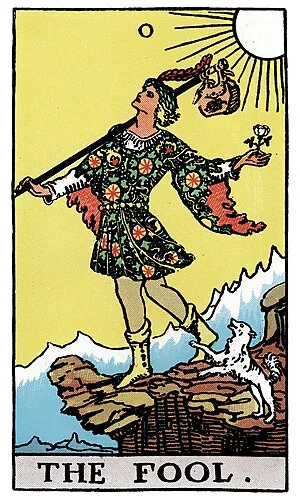
"The Fool" from the original 1909 Rider-Waite deck (public domain)
What makes this style unique:
- Bold black outlines defining all shapes and figures
- Flat color fills with minimal gradation: warm yellows, sky blues, muted reds
- Decorative borders framing each card
- Theatrical, archetypal figures posed like actors on a stage
- Simplified backgrounds with stylized landscapes and solid-colored skies
- Art Nouveau influence with flowing lines and symbolic imagery
This style is difficult to prompt for directly. Asking for "tarot card style" gives inconsistent results. But with Flux style transfer via LoRA, we can teach the model exactly what we want by training on the actual deck.
This tutorial walks through training a LoRA on FLUX.2-dev using the 1920 Rider-Waite tarot deck dataset (78 public domain images). After training, prompts like "a mountain landscape in tarot card art style" produce images with that distinctive vintage aesthetic.
Use cases for this approach:
- Product photography in a specific brand style
- Game assets matching existing art direction
- Consistent character designs across images
- Corporate illustration guidelines
Why LoRA Training
Flux 2 is a 32 billion parameter model. Training the full model requires multiple high-end GPUs and significant compute time. LoRA (Low-Rank Adaptation) sidesteps this by freezing the base weights and adding small trainable matrices to the attention layers. The result is a 100-200MB adapter file that modifies how the model generates images. If you've done Stable Diffusion LoRA training before, the process is similar but requires more memory optimization for Flux's larger architecture.
The DreamBooth technique teaches the model to associate a trigger phrase with your training images. After training on tarot cards with the prompt "in tarot card art style", the model learns to apply that aesthetic whenever it sees the phrase.
Setup
Create a JarvisLabs instance with an H200 and the PyTorch template. The H200's memory and bandwidth handle Flux 2's size efficiently. Make sure to select enough storage to download the model weights (around 400 GB).
Flux 2 requires accepting a license agreement on HuggingFace before you can download the model weights:
- Go to the FLUX.2-dev model page
- Click "Agree and access repository" to accept the non-commercial license terms
- You'll need a HuggingFace account - create one at huggingface.co/join if you don't have one
Clone the HuggingFace diffusers repository and install it:
git clone https://github.com/huggingface/diffusers
cd diffusers
pip install -e .
Install Flux 2 specific dependencies:
cd examples/dreambooth
pip install -r requirements_flux.txt
pip install --upgrade Pillow
Login to HuggingFace (you'll need a token from huggingface.co/settings/tokens):
huggingface-cli login
The Dataset
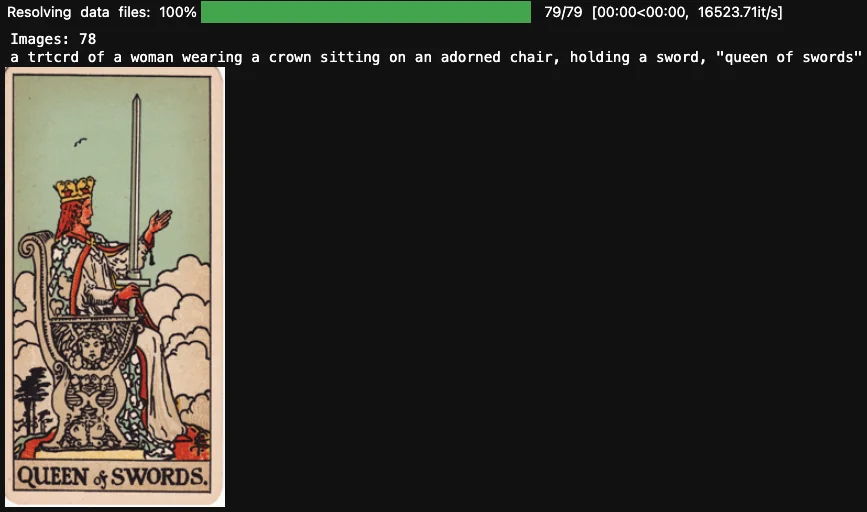
The 1920 Rider-Waite tarot deck dataset contains all 78 cards with captions describing each image.
Load the dataset to preview it:
from datasets import load_dataset
ds = load_dataset('multimodalart/1920-raider-waite-tarot-public-domain', split='train')
print(f'Images: {len(ds)}')
print(f'Sample caption: {ds[0]["text"]}')
Memory Optimizations
Flux 2's size requires aggressive memory optimization. The training command uses four techniques:
FP8 training (--do_fp8_training): Reduces precision of intermediate activations from 16-bit to 8-bit, cutting memory significantly with minimal quality impact. Requires CUDA compute capability 8.9+ (H100, H200, Ada Lovelace GPUs).
Gradient checkpointing (--gradient_checkpointing): Recomputes activations during the backward pass instead of storing them. Trades compute time for memory.
Remote text encoder (--remote_text_encoder): Offloads the Mistral Small 3.1 text encoder to HuggingFace's inference API. This alone saves around 20GB of VRAM.
Cached latents (--cache_latents): Pre-encodes all training images to latent space and caches them. Avoids running the VAE encoder on every training step.
Training
First, configure accelerate for your machine:
accelerate config
Select bf16 precision and enable torch dynamo (compile) for speedup when prompted.
Next, install and login to Weights & Biases to track training:
pip install wandb
wandb login
Get your W&B API key from wandb.ai/authorize.
Now run the training script. The --instance_prompt becomes your trigger phrase during inference. We use "in tarot card art style" to match natural language usage.
curl -O https://raw.githubusercontent.com/huggingface/diffusers/db37140474a4f14955a4450a2a171fe987b4c8f5/examples/dreambooth/train_dreambooth_lora_flux2.py

accelerate launch train_dreambooth_lora_flux2.py \
  --pretrained_model_name_or_path="black-forest-labs/FLUX.2-dev" \
  --dataset_name="multimodalart/1920-raider-waite-tarot-public-domain" \
  --output_dir="flux2-tarot-lora" \
  --do_fp8_training \
  --gradient_checkpointing \
  --remote_text_encoder \
  --cache_latents \
  --instance_prompt="in tarot card art style" \
  --resolution=1024 \
  --train_batch_size=1 \
  --guidance_scale=1 \
  --use_8bit_adam \
  --gradient_accumulation_steps=4 \
  --learning_rate=1e-4 \
  --lr_scheduler="constant" \
  --lr_warmup_steps=100 \
  --max_train_steps=500 \
  --validation_prompt="a cat sitting on a throne in tarot card art style" \
  --validation_epochs=50 \
  --report_to="wandb" \
  --seed=0
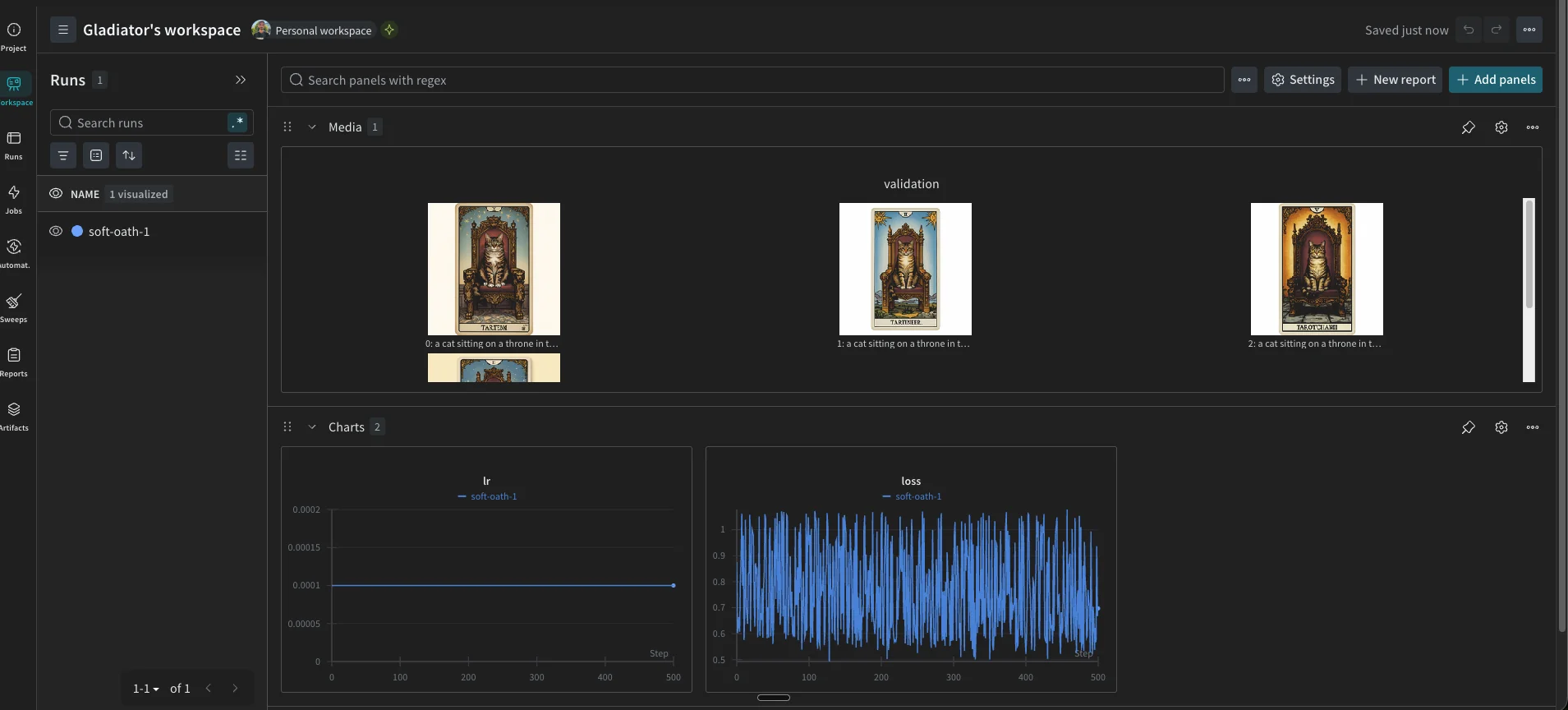
Training takes around 1 hour on an H200. The --validation_prompt and --validation_epochs flags generate sample images every 50 epochs and log them to Weights & Biases. You can watch the style develop over training without stopping to run inference manually.
You should see the W&B dashboard tracking your training progress:
Generating Images
Once training completes, load the base model and apply your LoRA:
from diffusers import Flux2Pipeline
import torch

# Load base model
pipe = Flux2Pipeline.from_pretrained(
    "black-forest-labs/FLUX.2-dev",
    torch_dtype=torch.bfloat16
)
pipe.enable_model_cpu_offload()

prompts = [
    "a wizard holding a staff in tarot card art style",
    "a mountain landscape in tarot card art style"
]

# Generate BEFORE (no LoRA)
print("Generating base model images...")
for i, prompt in enumerate(prompts):
    image = pipe(prompt=prompt, num_inference_steps=30, guidance_scale=3.5).images[0]
    image.save(f"before_{i}.png")
    print(f"Saved before_{i}.png")

# Load LoRA
print("Loading LoRA...")
pipe.load_lora_weights("./flux2-tarot-lora")

# Generate AFTER (with LoRA)
print("Generating finetuned images...")
for i, prompt in enumerate(prompts):
    image = pipe(prompt=prompt, num_inference_steps=30, guidance_scale=3.5).images[0]
    image.save(f"after_{i}.png")
    print(f"Saved after_{i}.png")

print("Done!")
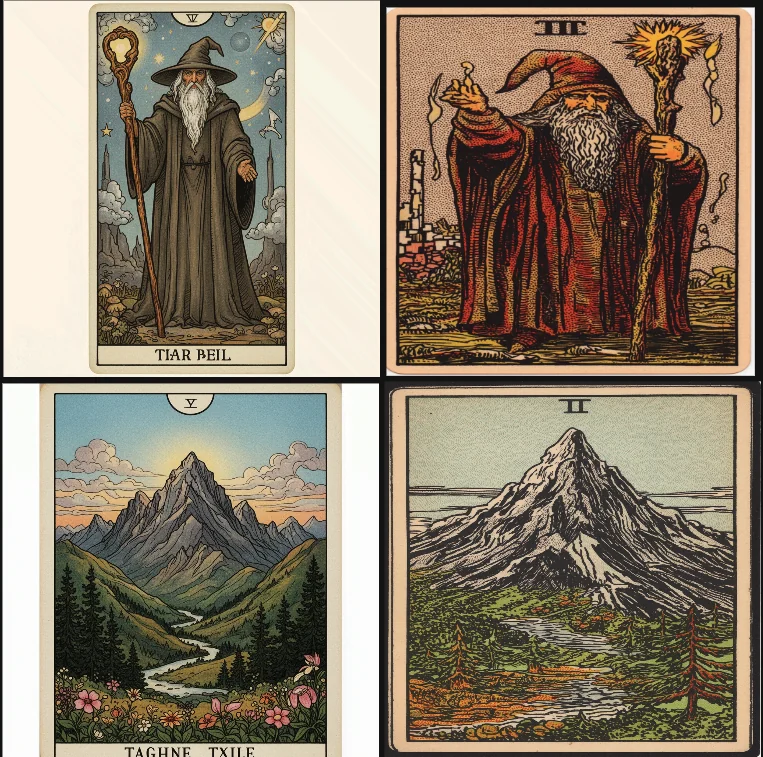
Left: Base Flux 2 model. Right: After LoRA finetuning.
The base Flux 2 model interprets "tarot card art style" literally but superficially—it produces photorealistic images with some thematic elements, but the output looks like a photograph, not an illustration from a 1909 deck.
The finetuned model learned the Rider-Waite visual language:
- Decorative borders frame each image
- Roman numerals appear at the top, matching the deck's numbering convention
- Color palette shifts to characteristic warm yellows and muted earth tones
- Rendering style changes from photorealistic to bold outlined illustrations
- Composition places subjects centrally in theatrical, archetypal poses
The mountain landscape comparison shows this clearly: what was a photograph becomes a stylized illustration that could belong in the deck. For styles with this many specific conventions, training on examples captures details that prompts alone miss.
Next Steps
You can start experimenting with this on JarvisLabs. We have A5000, A6000, A100, H100, and H200 GPUs available. Check the pricing page for current rates.
If you run into any issues or have questions, reach out and let us know.